Posts

How to fix Gmail temporary error 500?

Gmail is one of the best emails which are given priority by the users over another email platform. It is because of the fast, secure, comfortable and many other facilities provided by it. But sometimes you have to face a problem like Gmail temporary error 500. What is Gmail temporary error 500? Gmail temporary error is a frustrating and common issue which comes when Gmail sign into account. It will show an error message like “we are sorry, but your Gmail account is temporarily available. We apologize for the inconvenience and suggest try again in few minutes”. But it doesn’t mean that you will never able to log in to your Gmail account, this error may remain for some time. Sometimes we see which applications are to be installed on the computer can prevent Gmail to work properly. It includes programs like firewall applications, internet security, anti-virus. Temporarily disable all these programs and again log in Gmail account. Source:-  https://www.howtoaide.com/fix-gma...

How to fix AVG Error Code 0xc0000005?

AVG antivirus provided multiple features and facilities to its users in order keep their device safe and secure. it is not completely error free and many times the users face errors while using AVG antivirus. AVG error code 0xc0000005 is a common problem but it can be removed very easily. This error mainly occurs, when the user tries to launch the world of Warcraft. This fault appears in the system having 64-bit but the AVG detects this program as a threat to the system and stops the application to launch in the system and displays this error. Read on to find out some easy fixes for this error. Methods to fix  AVG Error Code 0xc0000005 Below, we are discussing some troubleshooting steps to help you in solving this entire issue in easy steps. Follow the troubleshooting steps that are discussed below: Open your product and click on the “options menu.” From here, click on the “advanced settings” icon. Now, at the left-hand side corner, there will be an opt...

How to fix Facebook notification not working on Firefox?

Image
Many times, users face the issue of Facebook notification not working on Firefox. To fix this error you can connect with us on toll-free +1-866-235-4333 https://www.howtoaide.com/facebook-notifications-not-working/

How to recover Yahoo mail account? +1-866-235-4333

Image
Yahoo is one of the most popular emailing service and is being upgraded regularly. It provides many latest plans for personal and business use. It has advanced filters that let the user to manage inbox and other mails. Nothing is perfect and so Yahoo account users also face many issues. Many times, the user forgets the Yahoo account password and is not able to login to the account. There are many ways for Yahoo account recovery. The most-simple method is Yahoo account recovery with phone number. But if you don’t have access to your linked phone number, read on to find the ways for Yahoo account recover without phone number. Recover Yahoo account without phone number Follow these steps to recover Yahoo account if you don’t have access to phone number: Go to Yahoo sign in page from your web browser. Enter your Yahoo email address and click on “I don’t remember password”. Now you will be redirected to the next section. Here you have options for password recovery. There ...

1 866 235 4333 Gmail Not working! how to fix it?

when you remove your account from your android and reinstall again it would start working on your system. The benefit google account is that it stores every data of in its google server. Everything can be restored it be your song, videos or photos in your mobile. you can easily recover all these even after reset of your android mobile. Normally it has a nuclear option through which we can recover all the data that have been deleted from your mobile. Gmail not working

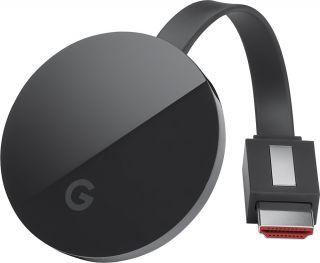
How to reset or reboot your Google Chromecast

Image
Google Chromecast is easy and cheap way to watch video content right into your TV. You can simply plug into your TV and access various streaming services like Netflix, YouTube, Hulu and Google play. You can now control it using Vocal commands via Google Assistant. You can use it to stream many contents even from your Chrome browser through a laptop or desktop computer. If you are facing issue of Google Chromecast not working, the first thing you can try is to reboot your device. It is not wise enough to replace it before trying some tricks to resolve the issue. You can also go for restore factory settings. This will require factory setup again from the starting phase. The process takes few minutes and you can fix the problem even when your computer is not recognizing your Chromecast. Try these easy steps to reset Google Chromecast: Reset your Modern Chromecast GO TO THE Home app on your smartphone. Home app controls your Chromecast. Go to the menu and select factory res...